The Newest Cyber Threat That’s Crippling Your Business
Transcript
>> Hi there, welcome to the CTO Advisor virtual conference. My name's Mike Letschin, or Agent M, coming to you from 504 Battery Drive. Do you guys know where that is? That's Men in Black headquarters. And I'm here with Chris Colotti, Agent C. We're going to talk to you about something that is really impacting companies, enterprises, and really people all over the globe: ransomware. And how we can be your first, last, and only line of defense against it. But before we get into what we're going to do and how we can help you, maybe we should kind of define what that means.
Today, the average payment for a ransomware attack is over $41,000. That's gone up six-fold since 2018. Now, that could be anything from paying for one machine, up through trying to get back encryption keys for an entire environment. Obviously, the average only counts for those ones we know about. And when you look at ransomware, it's a small portion of the amount that it costs the global economy for cyber criminals, all over the place. $6 trillion annually, just by 2021. And that has doubled since 2015.
The number of expenses that are taken from cyber criminals to the global economy is going through the roof. And a big portion of that is for ransomware. 5 billion annually. Obviously, when we saw the other one go up like that, this is doing the same thing. And it's not one space. But the first place I'm going to talk about is how much it's impacting government systems right now. 170 different government systems have been impacted since 2013. Those are ones that have been reported.
22 of those, in the first half of 2019. Everything from Pensacola, Florida having a shutdown of all of their city services. The city of Baltimore, in May of 2019, had all of their systems under a single ransomware attack that they had to pay for. You get into April and there were three major ones. One in Augusta, Maine where there was a highly-targeted attack that froze the entire city's network and forced that city center to a close. 5 million from the city of Tallahassee.
And the one that probably worries me the most is Cleveland's airport suffered a ransomware attack. That bothers me if I'm flying into Cleveland. Then there's ones like Atlanta, or even Jackson County, Georgia. Within a year of each other, there was one major attack and then Jackson County had to pay $400,000 just to get their systems back online. S. issue. This is a global epidemic that we're facing. , India, Indonesia, all over Europe. You'll notice a quarter of this pie, almost, covers countries around Europe.
It reaches across the globe. From one corner of the globe to the other, cyber criminals are attacking our enterprises and trying to find ways to make us pay for them being criminals. And they're doing it at an alarming pace. Right now, a business falls victim to a ransomware attack every 14 seconds. It's coming down, expecting it to be down by next year to every 11 seconds. And it's not just those government entities that are being impacted. No industry is immune to this.
Technology is getting hit heavy. Professional services, heavy. Consumer goods. When you're looking at that new phone, there's probably a chance they're trying to attack the company making it. Down into government, and then healthcare. Unfortunately, healthcare is on the rise on this one. Society hasn't been great about it, with all the issues going on, and ransomware attackers are attacking hospitals and healthcare systems across the globe right now. Now we asked a survey to find out how many people had their company impacted by ransomware.
Two thirds of you think that you didn't. Now that's interesting, 'cause well, we're pretty sure that a lot more of you did. Because when you start looking at the ways people can get into your system, it's a easy, easy way and people don't change. So let's first look at it from a technology standpoint. There's obviously exploits and vulnerabilities. Those are things we're used to. T. shop, you take the time to make sure that you've applied patches, you're locking down your firewall, things like that.
But things still get through. Now the thing is, that's not the only way. It's not even the most prevalent way right now. Right now, 91% of cyberattacks start with a spear phishing email. Normally these look urgent, look really official. You look at this one. It was coming from Sterling Savings Bank. Appreciate the gentleman from the Accounting and Billing Team sending us some information. Until you dig deeper and you look at the email. de email address. Pretty sure Sterling Savings Bank, that's not their email.
Now, it's not just a simple one like this. These are coordinated attacks. There are credentials that are getting stolen all over the place. 300 universities were attacked by a specific group in 2018. Of those 300, 144 were compromised. P. worth close to $3 billion. Now, we asked you whether a friend had ever had their Facebook hacked. Now this one, as expected, 80% of the people realized, yeah, my friend probably had it, I've seen this happen before. Now when you get into it, that's not surprising.
Because, there is malware that is spread, like the Loki one that was spread through Facebook Messenger. It simply sent an svg file that passed through Messenger and redirected you to what looked like a YouTube page. But when you got there, it asked you to download a Kodak to play the video. What most people didn't realize was that Kodak was actually Malware, before you got to see any video from your friend. Now, that's not the only way. Now we start seeing things like Malvertisement.
Now a lot of people probably aren't real familiar with malvertisement, but we see these ads all the time. And it's always interesting to see what people are doing to block ads, especially on their home networks and on corporate networks where it really does matter for your enterprise. Essentially, when you're clicking on that ad, it's not on the company that's providing the ad, the advertisement network, to be able to check those URLs. They actually will put through whatever it is and it can be a malicious site that is just then redirecting and installing things on your system.
Definitely not what you want to see. Now, I always enjoy this one. We ask people, what was the year of your first ransomware attack? Now, a lot of people said 2001. It's a little newer, I definitely would've thought older. But otherwise, it's pretty spread. What that says is, people really aren't sure. Well, I want to give you that information now. 1989. So not quite as far back as '85, that was in the survey, but '89. An AIDS researcher by the name of Joseph Popp actually sent a survey out via floppy disk to AIDS researchers around the globe, hospitals, researchers.
Said it was a risk questionnaire, so as people filled out the information about their patients, they would get this information and it was a survey and a study. Except, that it activated after 90 reboots. After those 90 reboots, it would ask you for a payment of $189 and another $378 for a software lease. Now back then, these were all Windows boxes. They had to get rebooted a lot. So it wasn't uncommon. But that's what it looked like then. Now, we get things like this that pop up on your screen when you've been infected with ransomware.
Now, this does look pretty antiquated and old until you start digging in deeper. This looks like it could've been done in the '90s. But, they're asking for bitcoin payment, they're giving you explicit countdown timers on when your data's not going to be available. And this is really locking down what you're going to see. This is from one called Pentium. So, they do try to make it look very official. Other ones even try to make it look more official. CryptoLocker claimed to be from an actual federal agency.
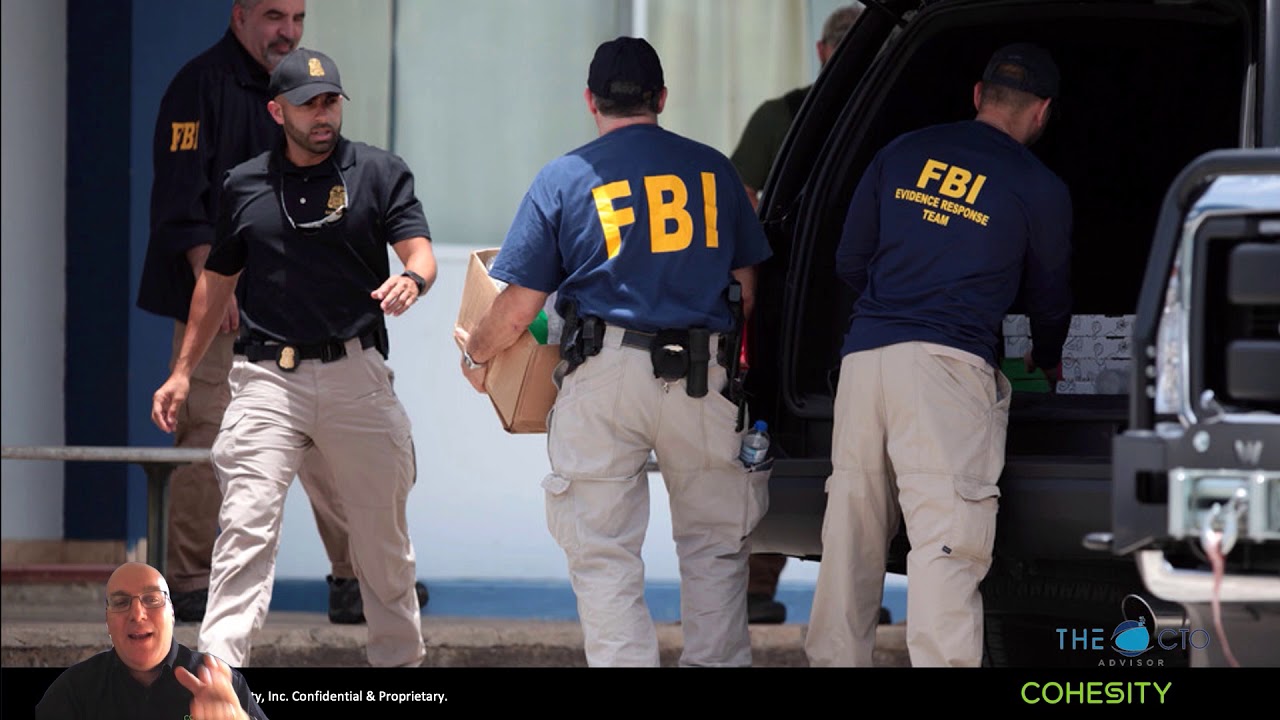
In reality, no agency is going to send you this kind of message. So what I did was I took about 22 seconds and I put another logo on here. And then, I took a little more time, about two minutes, to find these other 15 logos that look official on here. As we click through and it clicks through and it ends with our Men in Black logo. Now in reality, this is never what a government raid is going to look like. What a government raid really looks like is this.
Agents from multiple agencies showing up, guns drawn, probably some black SUVs coming in to take everything in your environment. That's what it actually looks like. And from here, I want to hand it over to Agent C and let him give you a real-world scenario of a ransomware case. Agent C? >> Thank you, Agent M. My name is Agent C, and I'm here to tell you about a real-life ransomware story of a victim that we have from the files of the Men in Black.
Now we've unlocked this file to show you what really happens behind the scenes. But the names of the victims have been removed for obvious reasons, and we're going to tell you everything that happened. And everything we're going to go through actually happened, it's all 100% true. So let's start with how this actually got into the customer's environment. Well, as Agent M said, it came in through a malicious email. The user didn't know anything. Probably clicked the link to some cute puppies or kittens, and next thing you know, it starts auto-installing.
Well, it didn't just auto-install on their machine, it started to propagate across the network and search out as many Windows servers as it could find. Which brings me to the first question for this section, which is, how long did you all think that ransomware incubates? Now I thought it was interesting that so many people thought it was six months. If I saw one of those six month timers, I'd be wondering if those guys really want their money or not. I think what we're seeing mostly is in that one to two week range.
It's a short time period. The whole idea of ransom is you've got to get something done quick, get them paid, or you're not getting your data back. So I'm not quite sure about six months. I'd probably have to go ask some of those folks why they thought it was so long, but that's an interesting answer. So after this started to propagate, and slowly go through the environment, over the course of about 2 weeks, it then encrypted all the drives of all the Windows servers that it could find.
Now, what it did was it waited and it was patient and after it figured it couldn't find anymore is when it kicked off, and overnight did the encryption process. T. staff and all the folks that had alerts and pager duty and all these other things started going off in the middle of the night, trying to figure out what happened. And their first inclination was, well, we'll just recover from backup. Well, brings me to my next question. What operating system are most of your backup applications run on?
Well, it's good to see that over 50% are using dedicated appliances, but this customer fell on that 32%. Their backup systems were also running Windows, which meant those were encrypted as well. They had zero access to any of their backup data, on any of their backup systems. Basically, they were up the proverbial creek without a paddle. So, next thing that started to happen was, well, morning rolled around. And employees started coming into work. And realized they can't access their systems.
Started calling the help desk, customers started calling. T. team had already been there and they decided, well, we're in a hole. Our data is being held for ransom, send everybody home. There's nothing we can do, we can't help every individual user right now. Well, this is where it gets a little more interesting. Probably wondering why we asked some of you if you have a bitcoin account. Surprisingly, 40% don't. Well, this customer decided to pay that ransom. It wasn't that much.
It was $70,000, it was easy for them to deal with. But, the finance folks turned to everybody and said, "Okay, we got the money, where do we send it? " Well, you can't write a check, you got to send it bitcoin. Well, who's got a bitcoin account? Nobody? Nobody at this organization had a bitcoin account. Now, you'd think the obvious thing you would do would be to go to Coinbase or someplace like that and open up a bitcoin account.
Well, instead of doing that, they actually wired the money to a friend of somebody in the Information Technology group who had a bitcoin account. So this guy got $70,000 wired to him to go pay their ransom. Could you imagine? I can't even comprehend sending that amount of money to somebody who's not even an employee when you could've just opened up an account. The point is, what people do in stressful situations is not always the smartest decisions. And this proves it.
Well, they got their keys back. Luckily they got it paid. The gentleman paid their ransom. And they got 400 keys, unmarked, in a text file. So begins the mess to ensue. Now, you got 400 keys on a spreadsheet, or in a text file, what do you do? You go to the first server, try the first key, then the second key, then the third key, then the fourth key. " because that one worked. You cross that one off the list and you go to the next server.
" you might not have gotten to that key yet, which is cool so you can cross that one off. But tracking who's got what keys and who worked and which ones didn't, massive, massive manual effort. I can't even imagine. I just wouldn't even want to deal with it. I'd probably hang my hat on the wall and leave. Well, it goes from bad to worse, and we'll get to that in a second. We also asked all of you, what's your tolerance for paying a potential ransom, since this number was thrown out here at $70,000.
Well, we always have the joke answer which everybody likes to take advantage of, that we don't want to negotiate with terrorists. But I'm willing to bet that if you took those 77 people and that question wasn't' there, most of them would fall smack on that $100,000 or $1 million because it's an even split of 11%. So, this tells me that most people understand the gravity of the problem, and they're willing to pay to get their stuff back. Well, let's get back to that customer story.
So they start finding systems, they start unlocking systems, and then systems start crashing. And they try to figure out, why are the systems crashing? Well, come to find out, if the system was over 50% full, the way the decryption process worked is it didn't just decrypt the data in place, it made a duplicate copy in a decrypted fashion. So if you were already over 50% utilized on a virtual disk, and it doubled the size, the system crashed. So now they got to stop everything, come to a screeching halt, go identify the systems that are over 50% full first before they even touch them, start shuffling data around so that when they get to it and they get the right key it won't crash and they can fully unencrypt the information.
This is an unknown that they would not have even thought of. The first getting the unmarked keys is problem A. Then having the de-encryption is double the amount of data, problem B, then they go have to shuffle data around, problem C. I mean, this is why it's called Snowball Effect, it just goes from bad to worse. Well, at the end of the day, what actually happened to this customer was they told employees to return after a three-day outage. And I actually think, for this amount of mess, three days, pretty darn good.
I give them a lot of credit. I don't think there's a lot of victims out there that could do it in three days. Now mind you, it was probably three days straight, 24 hours a day. None of us want to have any part of that. So finally, we wanted to explain what happened from business impact. Well, there's the obvious, lost employee productivity, lost revenue. They missed actual contracts. They had SLAs for just in time supply operation, they broke contract and had to pay out on the SLAs.
Most importantly was their own reputation with their own employees, their business partners and their customers all asking, "How could you let this happen? " Finally, three-day losses totaled $12 million. So even though the ransom was $70,000, it cost the company $12 million. T. team's lack of preparation and tools to deal with an attack like this. They simply were not ready. How many of us think we would be ready? Well, we asked that question. And surprisingly, 43% of you are right there in the middle.
So I don't know if that means you think you are ready, or you think you're not ready, or you're just waiting to see what happens. 'Cause that's an awful lot of people right there in the center. But it's something to think about. How would you deal with this if it came around on your front doorstep? Now I'm going to kick it back to Agent M, to talk a little bit more about how this isn't just an individual problem, but how it causes global economic disruption around the world.
Agent M? >> Thanks, Agent C. We're looking at something that really has impacted globally, on it. Think on NotPetya. Now, NotPetya really defines where cyber warfare has no nationwide boundaries. Now, NotPetya was known to be a state-sanctioned attack on the Ukraine by Russia in 2017. Now, it utilized a couple patches. There are a couple vulnerabilities, I should say, that became patches. And they were patched, notice in March of 2017, and then even before the May 2017 attack, these were patched.
The systems just weren't. E. Docs as the entry point. E. Docs is very similar to QuickBooks. Now, it started in the Ukraine. So let's look at the Ukrainian impact first. E. Docs software. Almost a half a million customers at that point. Now, when it got impacted, it took down some very large segments. Now, the one that really jumps out to me on this one is the fact that the radiation monitoring at the Chernobyl Nuclear Plant went down, that worries me.
Not just a little, but a lot on that one. And it wasn't a slow thing, either. Oschadbank, that second largest bank in the Ukraine, within 45 minutes 90% of their systems were infected. But it didn't just impact the Ukraine. It had a global impact. Multinational companies were impacted, from FedEx to the company that makes Cadbury Eggs to one that makes Lysol. $10 trillion worth of impact. Now, I'm going to show you just one of these, the $300 million it says that it cost Maersk to do this.
Now, if you're not familiar with Maersk, they're a shipping line out of Denmark, about 80,000 employees across 130 countries. Now, they have some vessels of their own but realistically, they're supporting 18,000 vessels around the globe in the waters at any given time. K. E. Docs. When it got impacted, had a 20% reduction in operations globally for them. And what that meant was 17 of their 76 main ports were impacted. Just one example is the one in Elizabeth, New Jersey that had almost a 20 mile backup of trucks it couldn't get into the port 'cause they couldn't track containers, couldn't track bookings.
They couldn't get to anything on it. So what did they have to do to try to recover? Well, the first thing they did was they handed Deloitte a blank check. T. employees, and they realized they had backups for most of their servers. But we talked about having Windows boxes. And all of their domain controllers were obviously Windows boxes. And a lot of those don't get backed up because why would you back them up, they're replicating all over the place.
Well they all got wiped at one time. Except for one. That one happened to be in Ghana, and was only up because they had a power outage. K. to get the hard drive to them. , then they could start recovery. Now the recovery took awhile, and after about three days, ports started coming back online. But all their employees were not even allowed to touch their systems. About a week later, two weeks later, staff started getting their systems back so that they could start going back to work.
Now a lot of this, I know we talk about different things, whether it is all local for them or whether things were cloud-based. And in a hybrid cloud environment like what we're looking at for a lot of things in the conference today, it didn't matter. It wouldn't have mattered. But, we do have ways to help with that. And we have things that can be that defense for you. But before we go into the exact defense, let's talk about what that means.
So, Agent C, you want to give them a rundown of some defense in-depth and take a look at how we might be able to help with this? >> Defense in Depth. Sounds a little bit like a throwback, doesn't it? We used to use this term, or this phrase, a lot back in the day, but it actually applies even to this problem. And I'm going to talk a little bit about how that is cased and how we can address it. Well, first and foremost, a first layer of protection is training, we've got to train our people, we've got to train them to understand that that email might not look correct.
If you're in sales and you're getting an email from a bank wanting money or telling you to go look at an invoice, it's probably not right, it's probably not for you. T. team so we can take a look at it. Proper training can stop more attacks than any software out there. Second is stopping it at the edge. So let's say that email does get through and User A clicks on it. Well, when they click on that link, it's going to try to go to a website.
Well, there's a lot of tools out there like OpenDNS and NextDNS and Pi-Hole and Umbrella, and all these things that can actually capture it at that moment they click it before it exits the company and brings that information in. Edge solutions are all around us, and many of them are enterprise ready. Third, come on, client antivirus. We've been talking about this since I was a little boy. But it's been around forever. You got to have AV running, you got to have your scans up to date, you got to have your libraries up to date.
But there's plenty of them out there. We all know that this is a key component and a key layer of protecting ourselves. Fourth, OS patches. And I'm going to pull something out of one of the folks from the community, but patch your stuff. I mean, really, it's not that hard. Just patch your stuff. 'Cause if you do, unlike the example that Agent M gave, they would've been protected because the patches were already out for that particular malware. If you don't patch your stuff, well all bets are probably going to be off.
Fifth is our backups. Well, if you have your backups on a system that is potentially going to be infected by a malware like a Windows machine, might want to rethink your solution. You might want to figure out how you can have something that won't be affected, that won't be attacked at the same time as everything else. And finally, if all else fails, you're going to have to recover. So how do you do that? How do you do DR testing? How can you do an Instant Mass Restore?
How can you have the capability to ultimately go back in time and fix the problem? When training fails, it's not caught at the Edge, antivirus misses it, and you're stuff isn't patched, you're only left with your backups and your ability to recover. And that brings us to where Cohesity is your first, last, and only line of defense against the worst scum of the universe, known as ransomware. So let's dig in a little bit, not too much, on how Cohesity solves this in sort of a five-step approach.
Well first, it's about a reduced attack surface. We give you the ability to protect, control, and even leverage your data over time. We can consolidate backups, do global deduplication and most importantly, manage all your operations globally in a single UI in a product called Helios. Second, we have tools such as CyberScan that can help you assess your security posture. We can actually scan a virtual machine and tell you if it has potential vulnerabilities and do you actually want to take the chance of re-injecting those vulnerabilities during a recovery?
We may know about it 'cause it's on our system and we've scanned it, and we may warn you to not use that backup copy, and use a different one. Third is our ability to defend against becoming an actual target. How do we do this? We do this by being an immutable file systems, multi-factor authentication, WORM capability. We basically lock ourselves down to not be a victim. We should have buttons that say, "Don't be a victim," with Cohesity on it. 'Cause it would be kind of cool.
'Cause this is a key component of what we do. Fourth is we actually have machine-driven anomaly detection. So if we take a backup over time and we see what we consider to be anomalies, for example the size of the backup set changes dramatically overnight, or between backups or over the course of some backups. Or better yet, when we go to index that virtual machine, and one day we can index 400 files and the next day we can only index two because they're all encrypted, well guess what?
We're going to throw you an anomaly detection and tell you, "We think you have a problem. " We'll even identify the first known good snapshot for you to recover back to, instantly. Which brings me to our ability to recover. We call it Instant Mass Restore. Let me walk you through how we actually do this, but you definitely want to get a demo of this. The first thing we do is we take your first backup and we set that aside, and that's usually a full backup.
When we take your next incremental, we'll take a zero-cost clone of the first backup, we'll take the incremental, and we'll apply it to that clone. This gives us two fully hydrated images with sub-five minute RPOs. We rinse and repeat this process, so every time you do the next incremental, we take another clone and we apply that incremental to it. Now we've got three fully hydrated images. What this results in is a catalog of always-ready images. We call it SnapTree. And it's something you want to take a look at.
Finally, when we want to do an instant recovery with near-zero RTOs, we have almost no limit to the number of virtual machines we can do. We can do thousands of these. We do demos of it with hundreds, and 200 VMs all at the same time. When we do this process, what's interesting about it is we actually will present the data stored to the host, we'll mount your recovered VM, run it on the Cohesity data platform while it's being restored, which brings it online within seconds.
And then we'll initiate a storage vMotion to put it back on it's primary storage or it's SSD tier, or wherever you want it to go, or even a whole different storage array, for example. There's a lot of options, and this is something that you want to take a look at. So in summary, how we become the last line of defense for predicable recovery is first by having a reduced attack surface as a single global platform. Products like CyberScan that can assess your security posture and your vulnerabilities.
Defending against becoming a victim ourselves by having an immutable file system and WORM capabilities. By being able to detect a ransomware attack on the backup copies with Helios, a Machine-Driven Anomaly Detection. And finally, our ability to respond and respond quickly to a ransomware attack with global search and instant mass restore to bring your systems back online. With that, I'd like to thank everybody for listening to this presentation today. You can visit us at the virtual booth. And by all means, get in touch with an SE or somebody to give you a demo of some of these capabilities we've talked about today.
And keep yourselves protected from ransomware. >> Definitely will, and I think now we can let people go. Check it out, hopefully they stay healthy. And we promise not to flash them with the little stick this time. >> Yeah, we don't want you to forget. (logo whooshing) (logo chiming)